Mobile-friendly games on OnlineGames.io are specifically designed or verified to work well on a phone or tablet touchscreen — no keyboard required, no download, no app to install. Open your mobile browser, visit the game page, and play. Every game in this category has been selected because its controls translate naturally to touch inputs: tap, swipe, tilt, or on-screen virtual buttons rather than a physical keyboard and mouse.
What Makes a Game Mobile-Friendly? Not every browser game works on mobile — many require a mouse for precision aiming or a keyboard for multi-key inputs that a touchscreen physically cannot replicate. Mobile-friendly games share these characteristics:
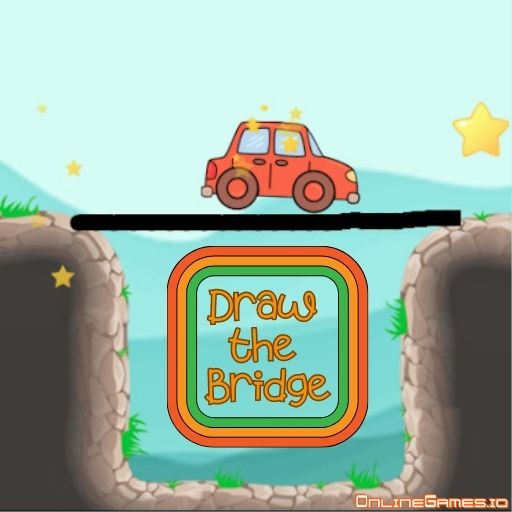
Touch-native controls — tap, swipe, drag, or tilt inputs replace keyboard and mouse without any compromise to the gameplayReadable UI at phone scale — buttons and text are large enough to tap accurately on a 5–7 inch screen without mis-pressingAcceptable performance on mid-range hardware — the game runs without significant frame drops or overheating on a typical two to three year old phoneFlexible screen orientation — the game layout works in the orientation the phone naturally assumes, without requiring a specific rotationTypes of Mobile Games Online Tap and reflex games — tap the screen at precisely the right moment. Simple input, genuine skill ceiling. Rhythm games and stacking games are the defining examples.Idle and clicker games — tap to generate resources, then let automation handle progress. Designed for interrupted play; close the browser tab and your progress persists.Puzzle games — drag, rotate, and place pieces. Touchscreens are actually superior to mice for many puzzle interactions — fingers are more intuitive for drag-and-drop than a cursor.Casual driving games — simple left/right steering via screen tap or tilt. Highway traffic dodging games are particularly well suited to one-handed mobile play.Endless runner games — tap to jump or swipe to dodge. One or two touch inputs are all that is needed; the entire game fits naturally on a phone.Territory and growth IO games — many IO games support swipe or virtual joystick input. Paper io 2 and similar territory games are natural mobile formats.Most Played Mobile Games on OnlineGames.io Magic Tiles 3 — tap black tiles in time with music; a rhythm game that feels more natural on a touchscreen than on a mouseStack Fire Ball — tap to drop the ball and smash through coloured platforms; works perfectly with a single fingerPaper io 2 — territory capture IO game with swipe-based movement; one of the most played mobile browser games on the siteNeon Racer — tap left or right to dodge in a neon tunnel; simple two-touch input, escalating challengeDraw The Bridge — draw bridge structures with your finger to guide a ball safely across gaps; genuinely better on a touchscreen than a mousePolice Chase Drifter — tap-steer driving with on-screen controls; one of the most mobile-consistent car games on the siteCookie Tap — the archetypal idle clicker; tap to produce cookies, upgrade production, and watch the numbers scaleAndroid and iOS Compatibility Games in this category run in the mobile browser on both Android (Chrome, Firefox) and iOS (Safari, Chrome) without any app download or account. Open the game and play immediately. Performance varies by device; newer phones handle more graphically demanding titles without issue. If a game lags on your device, try closing other browser tabs and background apps to free up memory. All games listed are free with no paywalls or in-app purchases.
Related Categories Clicker Games — idle and tap games; the most consistently mobile-compatible category on the siteArcade Games — many arcade titles use simple enough controls to work naturally on touch2D Games — 2D games are lighter and generally more mobile-compatible than 3D titlesPuzzle Games — drag-and-drop puzzle mechanics often feel more intuitive on a touchscreen than on a mouse