Julie Beauty Salon
About Julie Beauty Salon
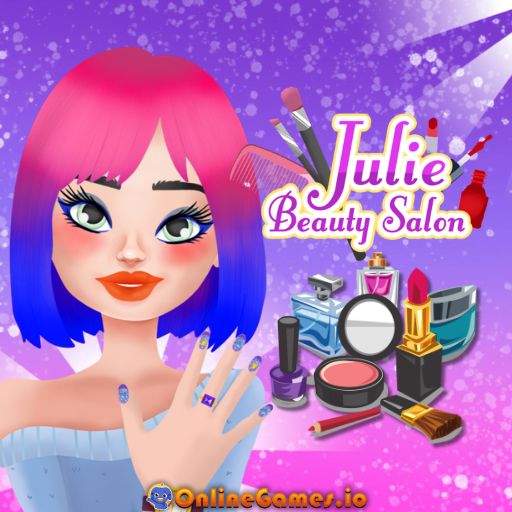
Julie Beauty Salon is a free online makeover game where you step into the role of a professional beauty expert running your own salon. Developed by FreezeNova Games, the game hands you three fabulous clients who each need a full glam transformation across three stations: makeup, hair styling, and manicure. You pick lipstick shades, blend blush, choose eyelashes, cut and recolor hair (even mixing two-tone looks like pink and blue), and finish with polish, glitter, nail art, and jewelry. Every choice is yours, so you can go for soft natural glam or bold, dramatic looks depending on your mood.
Julie Beauty Salon runs entirely in your browser on desktop and mobile, with no download, install, or account needed to start playing. The interface is simple point-and-click, which makes it an easy pick-up-and-play experience for kids and casual players alike, while still offering enough variety in colors, styles, and accessories to keep every makeover session feeling fresh.
Controls
| Action | Control |
|---|---|
| Select a tool or item | Left Click |
| Apply makeup, hair, or nail options | Click on the panel item |
| On Mobile Devices | Tap the screen to select and apply |
| Restart with a new look | Refresh Button |
Three Makeover Stations
Julie Beauty Salon is split into three connected routines that you complete one after another for each of the three girls. Start with makeup, where you pick from a range of lipstick colors, blush tones, and eyelash styles from the side panel. Once the face is done, move on to hair, where you can change the cut, swap colors, or go for a striking two-tone dye job. Finish with a manicure, applying nail polish, glitter, and french tips before topping the whole look off with rings, bracelets, or a watch.
Mixing and Matching Styles
The fun in Julie Beauty Salon comes from experimenting with combinations rather than following one fixed look. Every lipstick, hairstyle, and nail design can be paired freely, so soft pastel makeup can sit next to a bold two-tone haircut, or a bright manicure can complement a more natural face. A green checkmark appears on each portrait once that section is finished, letting you track your progress across all three clients at a glance.
Tips for the Best Makeovers in Julie Beauty Salon
Work through each station in order — makeup, then hair, then nails — since the game unlocks the next section only once the current one is complete. Try contrasting colors between hair and nails to make the finished look pop, and don't be afraid to use the refresh button to start a client over if you want to try a completely different style. Since there's no time limit or scoring, take your time exploring every option in the panel before locking in your final choice.
How to Play Julie Beauty Salon
- Pick your client — Choose the first girl from the intro screen to begin her transformation.
- Style the makeup — Select lipstick, blush, and eyelashes to create the face you want.
- Move to hair — Change the cut and color, mixing shades for a unique style.
- Finish with nails — Apply polish, glitter, or nail art, then add jewelry.
- Check for the checkmark — A green checkmark confirms each section is complete.
- Repeat for all three girls — Move on to the next client and repeat the full routine.
- Share your work — Screenshot your favorite makeover or hit refresh to try a new look.
Developer
Julie Beauty Salon is developed by FreezeNova Games, available to play for free on OnlineGames.io with no download or account required.
More Games Like This
If you enjoy the glam styling of Julie Beauty Salon, try Princess Beauty Salon for a royalty-themed makeover with extra dress-up options, or browse the full collection of free makeup games on OnlineGames.io.