Realistic Zombie Survival Warfare
About Realistic Zombie Survival Warfare
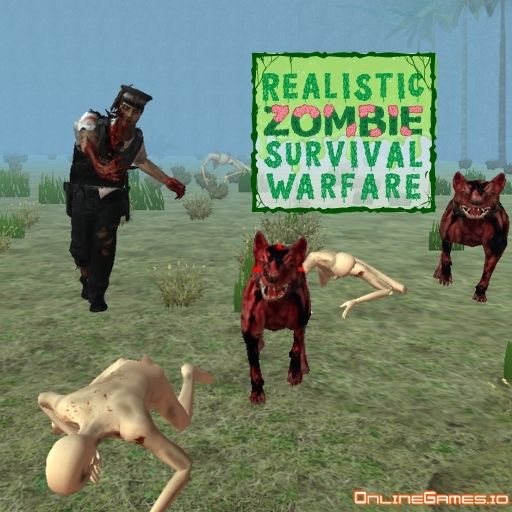
Realistic Zombie Survival Warfare is a free online first-person shooter that drops you into a world overrun by the undead, where waves of zombies grow increasingly difficult as you progress. You can play solo through a full mission campaign or jump into online multiplayer to face zombies alongside — or compete against — players from around the world. With multiple modes including Survival, Gungame, Find Object, Team Deathmatch, Deathmatch, and You vs. Bots, there's a steady variety of ways to test your shooting skills against the horde.
The game runs in your browser with no download required and is built around classic WASD-and-mouse FPS controls, complete with weapon switching, reloading, and attachment customization for a deeper shooting experience than most browser-based zombie games offer. Whether you're clearing a campaign mission solo or holding a line with teammates in multiplayer, ammo management is what separates victory from getting overrun.
Controls
| Action | Control |
|---|---|
| Move | WASD or Arrow Keys |
| Fire | Left Mouse Button |
| Aim | Right Mouse Button |
| Reload | R |
| Pause | Tab |
| Interact | E |
| Change Weapon | 1 / 2 or Scroll Wheel |
| Modify Weapon Appearance | Q |
| Change Weapon Attachment | T |
Multiplayer Zombie Battles
Selecting "Play in America" from the main menu takes you into the multiplayer lobby, where you can browse available servers or create your own to fight zombies alongside other real players. This mode transforms the zombie survival experience into a social one, with the added modes of Team Deathmatch, Deathmatch, Gungame, and You vs. Bots giving multiplayer sessions extra variety beyond straight survival.
Completing Solo Campaign Missions
If you'd rather play alone, selecting "Campaign" from the main menu opens up the mission map for single-player play. Each mission has its own objectives and zombie encounters, letting you progress through the game's Survival scenarios at your own pace without needing to coordinate with other players.
Tips for Winning at Realistic Zombie Survival Warfare
Keep a close eye on your ammo count at all times, since running dry mid-wave in Survival mode can quickly turn a winnable fight into a loss. Use the right mouse button to aim down sights for more accurate shots on faster-moving zombies rather than firing from the hip. In multiplayer modes like Team Deathmatch, stick near teammates so you can cover each other while reloading, and take advantage of the Q and T keys to adjust your weapon's attachments and appearance for a setup that suits your playstyle.
How to Play Realistic Zombie Survival Warfare
- Choose solo or multiplayer — Select "Campaign" for single-player missions or "Play in America" for online multiplayer.
- Pick a mode — Choose from Survival, Gungame, Find Object, Team Deathmatch, Deathmatch, or You vs. Bots.
- Move and take position — Use WASD or the arrow keys to navigate the map.
- Aim and fire — Right-click to aim down sights, then left-click to shoot approaching zombies.
- Reload strategically — Press R to reload during lulls in the action, not mid-swarm.
- Switch weapons as needed — Use 1, 2, or the scroll wheel to change between loadout options.
- Survive the wave or complete the mission — Clear all zombies or objectives to advance.
More Games Like This
If you enjoy Realistic Zombie Survival Warfare, try Funny Shooter for another wave-based shooting challenge, or browse the full library of free FPS games on OnlineGames.io.