Geometry Arrow 2
About Geometry Arrow 2
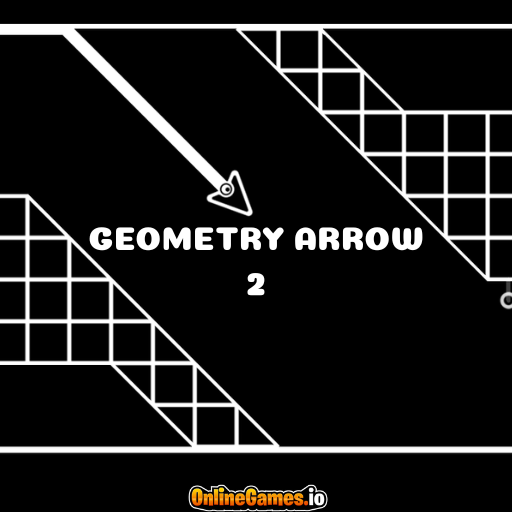
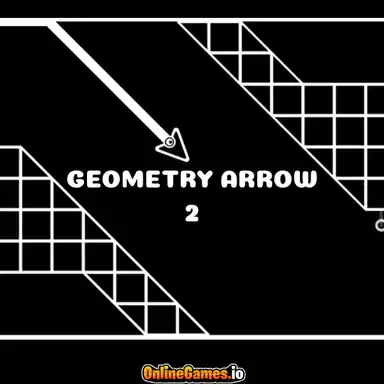
Geometry Arrow 2 is a free online reflex game that sends you flying and jumping through a scrolling tunnel packed with cubes, triangles, and spikes. The twist that separates it from a standard dash game is its dual-shape system: you switch between Arrow Mode, where you fly freely through gaps, and Circle Mode, where you jump over obstacles like a runner, with portals along the track flipping your shape at key moments. Every level has to be beaten from start to finish in one clean run — clip a corner or misjudge a spike and you're sent right back to the beginning of that level, with only your practiced timing to carry you further next attempt.
The game plays entirely in the browser with no download or install needed, and it's fully controllable with a single input, making it just as playable on mobile with a tap as it is on desktop with a click or the spacebar. Level-based progression means each stage has to be cleared before the next unlocks, and cosmetic customization for your arrow, circle, and obstacles gives long-term players something to earn as they rack up achievements.
Controls
| Action | Control |
|---|---|
| Fly Up (Arrow Mode) | Hold Click or SPACE |
| Fly Down (Arrow Mode) | Release Click or SPACE |
| Jump (Circle Mode) | Click or SPACE |
| Move / Jump (Mobile) | Tap Screen |
Arrow Mode and Circle Mode
Geometry Arrow 2 constantly shifts how you interact with the tunnel by swapping your shape through portals. In Arrow Mode, holding down click or the spacebar tilts you upward, while releasing sends you diving back down, letting you steer a diagonal path through narrow gaps between obstacles. In Circle Mode, the same input instead triggers a jump, letting you hop over spikes and pits along the ground like a traditional runner. Because a portal can switch you at any moment, you have to read the tunnel ahead and be ready to change your input style mid-run.
Levels, Portals, and Obstacles
Each level in Geometry Arrow 2 is a fixed sequence of cubes, triangles, spikes, and portals that scrolls past at a steady pace. Corners and spike tips are the most common cause of failure, since clipping either one ends your run instantly and resets you to the start of the current level rather than a mid-level checkpoint. Portals are placed deliberately to test your reaction time right as your shape changes, so memorizing where they sit in a level is often the difference between a clean run and a frustrating restart.
Tips for Winning at Geometry Arrow 2
Treat every failed attempt as practice — the tunnel layout is fixed, so each run teaches you exactly where the next danger sits. Don't tap or click too early, since arrows and circles both punish premature input by driving you straight into a corner or spike; equally, don't wait too long, or you'll be caught by an obstacle you had time to clear. Pay close attention right before a portal, since your control scheme changes the instant you pass through it, and a jump-timed tap in Circle Mode will send you flying uncontrollably if it lands after you've already switched to Arrow Mode. Slow, deliberate taps beat frantic spamming in tight sections.
How to Play Geometry Arrow 2
- Start the level — begin your run at the entrance of the tunnel.
- Read your shape — check whether you're currently in Arrow Mode or Circle Mode.
- Fly or jump — hold to climb in Arrow Mode, or tap to jump in Circle Mode.
- Dodge obstacles — steer around cubes, triangles, and spikes without touching a corner.
- Pass through portals — let portals switch your shape and adjust your input immediately.
- Reach the end portal — survive the full tunnel without a single collision.
- Unlock the next level — beat the current stage to progress and earn cosmetic unlocks.
More Games Like This
If you enjoy the timing challenge of Geometry Arrow 2, try the original Geometry Arrow, or take flight in Flappy Bird for another one-button reflex test. You can also browse more free clicker games on OnlineGames.io.