Baby Dragons
About Baby Dragons
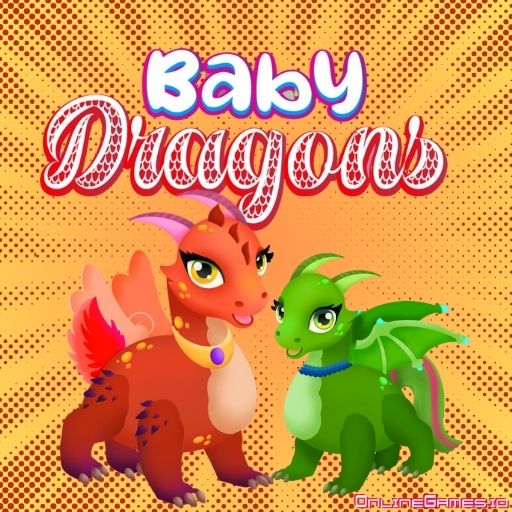
Baby Dragons is a free online dress-up game developed by FreezeNova where two dragon siblings are about to hatch from their shells and need your help getting their look just right. As their caretaker, you shape every physical trait: skin color, horns, tail, and wings first, then eye color, capes, and accessories once you unlock the second customization section. Each choice you make brings you closer to creating a truly unique baby dragon, all wrapped in a bright, playful, kid-friendly art style.
Baby Dragons runs entirely in your browser with no download or install required, and it's controlled with simple mouse clicks or a touchscreen tap, making it accessible to very young players. It's a safe, interactive dress-up experience without harmful visuals, designed for kids roughly aged 2 to 8 who want a bit of creative, supervised screen time.
Controls
| Action | Control |
|---|---|
| Pick an item | Left Mouse Click |
| Pick an item (mobile) | Tap the screen |
Customize Skin, Horns, Tail, and Wings
Start by choosing the color of your baby dragon's skin, then pick a horn style that suits its personality. Add a shiny tail for extra flair, and finish by finding vibrant wings that match the dragon's spirit. These four choices give each hatchling its base look before you move on to the finer details.
Unlock Eyes, Capes, and Accessories
As you play and progress, a second customization section unlocks, letting you pick eye color, a cape, and additional accessories. This extra layer of detail is what turns a simple hatchling into a genuinely one-of-a-kind dragon, so take your time exploring the options once they become available.
Tips for Playing Baby Dragons
Try mixing unexpected combinations, like a bold skin color with a subtle cape, since there's no wrong way to design your dragon. Complete the first hatchling fully before starting the second so you can compare two very different designs side by side. Because Baby Dragons has no harmful visuals or violence, it's an easy game to hand to a young child for a bit of independent creative play.
How to Play Baby Dragons
- Meet your dragon siblings — Two dragon eggs are ready to hatch and need a look.
- Choose skin color — Pick the base color for your baby dragon.
- Pick horns and tail — Select a horn style and add a shiny tail.
- Choose wings — Find wings that match the dragon's spirit.
- Unlock the second section — Progress to reveal eye color, capes, and accessories.
- Finish the look — Style the second dragon sibling to complete the pair.
Developer
Baby Dragons is developed by FreezeNova, available to play for free on OnlineGames.io with no download or account required.
More Games Like This
Fond of dragons? Browse the full library of free Dragon games on OnlineGames.io, or if you're looking for a kid-friendly alternative, try Angela All Season Fashion, where you dress the famous cat Angela for her date with Tom.