Run
About Run
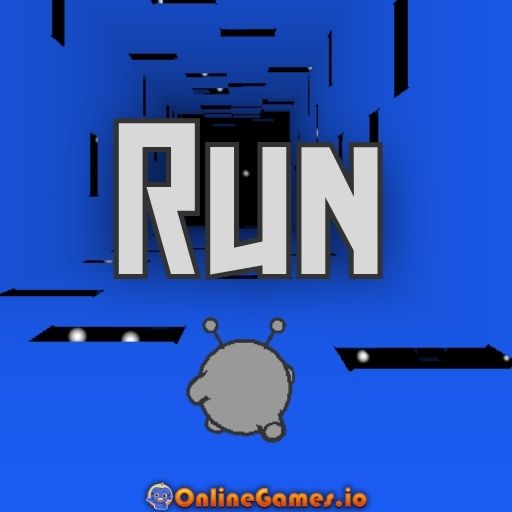
Run is a browser-based platform runner created by Joseph Cloutier in 2008, originally launched in Flash and played millions of times since. You control a small alien sprinting through a tubular course suspended in space, hopping over missing tiles and, uniquely for its time, "flipping" gravity whenever you step onto a wall or ceiling. Levels get faster and more complex the further you progress, and falling off instantly restarts the current level, keeping every run tight and replayable.
Run's simple but brilliant gravity-flipping idea made it stand out when it first launched, and it continues to inspire platformer games today. Many obstacle course games were influenced by Run, with fans recreating its gravity mechanic in their own styles, levels, and even full spin-off games — its impact goes beyond nostalgia, helping shape a whole sub-genre of physics-bending platformers. The game is now playable through emulators, entirely in your browser with no download required.
Controls
| Action | Control |
|---|---|
| Move | Left/Right Arrow or A/D |
| Jump | Up Arrow, W, or Spacebar |
| Pause | P |
Adventure Mode
Adventure Mode moves you through levels one after another along a set path with increasing gaps and curves. Completing one tunnel unlocks the next, and you can always return to any unlocked level from the main menu, making it easy to replay a favorite stretch of the course or practice a section you keep failing.
Gravity Flips
Run up a wall or onto the ceiling and gravity reorients so you stick there, letting you avoid holes that would otherwise end your run. Sprint sideways, then jump to the ceiling or back to the floor, chaining flips together to dodge widening gaps as levels progress. Gaps appear faster the further you advance, so jumping early to clear wide holes, or flipping onto a wall mid-air to keep running, becomes essential. Falling off the path sends you straight back to the start of the current level.
Tips for Winning at Run
Start on normal speed until you've internalized the gravity-flip timing, then switch to fast speed from the menu once you're comfortable, since fast mode makes Run considerably more difficult. Watch for the pattern of upcoming gaps rather than reacting only at the last second, and don't be afraid to flip onto a wall early if a hole looks wider than usual — waiting too long to commit is the most common way to fall.
How to Play Run
- Choose Adventure Mode — Start from the first unlocked level.
- Pick your speed — Select normal for a casual pace or fast for a harder challenge.
- Sprint forward — Move your alien with the Left/Right Arrow or A/D keys.
- Jump over gaps — Press Up Arrow, W, or Spacebar to clear missing tiles.
- Flip gravity when needed — Run onto a wall or ceiling to avoid a hole in your path.
- Reach the end of the tunnel — Complete the level to unlock the next one.
- Restart after a fall — Try again immediately if you drop off the course.
Developer
Run was created by Joseph Cloutier as a Flash classic in 2008, now playable through emulators for free on OnlineGames.io.
More Games Like This
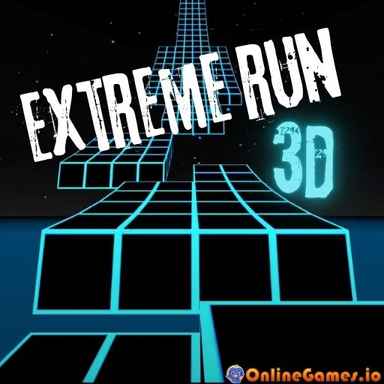
If you enjoy Run's flipping gravity, try Run 3D, with 3D visuals, more levels, and an expanded gravity system, or browse the full library of free Running games on OnlineGames.io.