Police Real Chase Car Simulator
About Police Real Chase Car Simulator
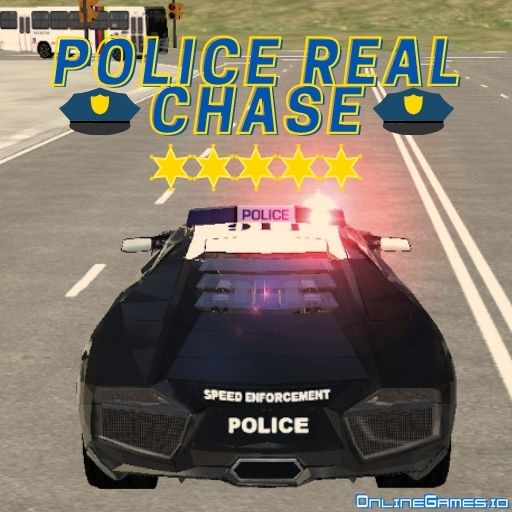
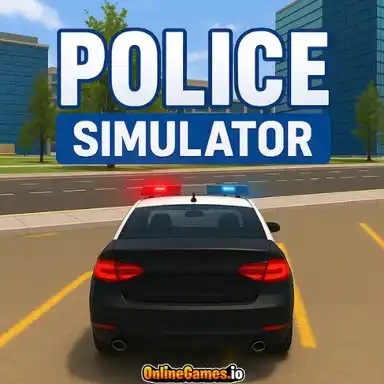
Police Real Chase Car Simulator puts you behind the wheel of a police cruiser on a mission to track down and stop fleeing criminals across a realistic city environment. You'll get a mission briefing, flip on your lights and siren, and pursue a target vehicle through busy streets, using the in-game map to predict their route, cut them off at intersections, and force them to a stop before they escape the city limits.
Built to run free in the browser with no download or install, Police Real Chase Car Simulator works across desktop and mobile devices. The realistic vehicle physics and unpredictable city traffic mean no two chases play out identically — a suspect that swerves through a market street one run might dash down a highway on-ramp the next, keeping every pursuit tense from the first radio call to the final takedown.
Controls
| Action | Control |
|---|---|
| Accelerate | W / Up Arrow |
| Brake | S / Down Arrow |
| Steer Left / Right | A / D |
| Handbrake | Space |
| Toggle Lights & Siren | L |
Missions and City Maps
Police Real Chase Car Simulator is built around a series of missions spread across different city maps, each with its own objective — some are straightforward high-speed pursuits, while others call for tactical roadblocks or coordinated intercepts to box a suspect in. As you clear missions, later suspects drive faster vehicles and pick smarter escape routes, so the pressure escalates steadily instead of staying flat.
Pursuit Tactics
Chasing a suspect head-on rarely works as well as anticipating where they're headed. Using the map to spot upcoming intersections lets you plan a shortcut or cut across a side street to intercept rather than trailing directly behind, where traffic and obstacles can easily break your pursuit. The handbrake is essential for tight turns at speed, letting you stay glued to a suspect's tail through corners a normal turn radius couldn't handle.
Tips for Winning at Police Real Chase Car Simulator
Activate your lights and siren early with L — it doesn't just look the part, it also helps clear a path through traffic ahead of you. Use the map constantly rather than only glancing at it once, since a suspect's route can change the moment they spot a new escape option. Tap the handbrake into corners instead of braking early and fully, which keeps your speed higher through the turn. When you get a clean shot at a roadblock or a side-street intercept, take it — a well-placed cutoff ends a chase far faster than a straight-line pursuit.
How to Play Police Real Chase Car Simulator
- Read the mission briefing — Check the objective and target before starting the chase.
- Activate lights and siren — Press L to signal the pursuit and help clear traffic.
- Pursue the target — Follow the suspect vehicle using W, S, and A/D to keep pace.
- Read the map — Anticipate the suspect's route to find shortcuts and intercepts.
- Use roadblocks and cutoffs — Position your cruiser to box in or block the suspect's path.
- Bring the chase to a stop — Force the vehicle to a halt within the mission's time limit.
- Complete the mission — Successfully apprehend the suspect to unlock the next chase.
More Games Like This
If you enjoy the high-speed pursuits of Police Real Chase Car Simulator, chase more criminals in Car Chase, or patrol the streets in Julio Police Cars, and browse more free police games on OnlineGames.io.