Knife Up 3D
About Knife Up 3D
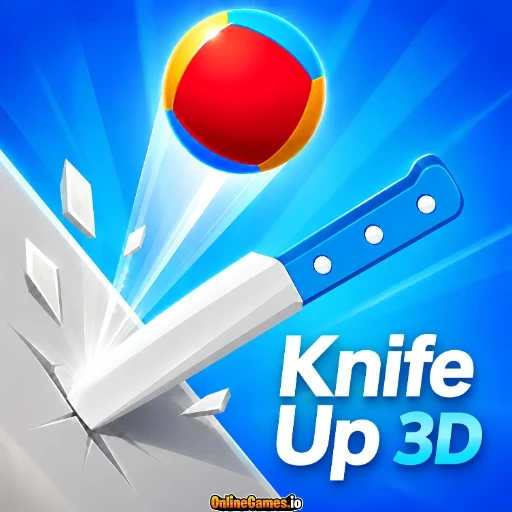
Knife Up 3D is a free online reflex game where a single wrong move sends your ball crashing back down a tower of spinning blades. Published by YAD.Com, the game drops you onto a rolling ball perched at the base of a giant knife-wrapped pole and challenges you to ride it upward, level after level, without clipping one of the red danger bands wrapped around the spiral. Coins scattered along the climb fund a surprisingly deep unlock system, letting you swap your default ball and blade for dozens of alternate skins as you clear more levels. It is easy to pick up in seconds, but the rhythm of timing your climb against the tower's rotation keeps every run tense.
Built entirely in HTML5, Knife Up 3D runs straight in the browser with no download, install, or account required, and it is mobile web compatible on Android so you can play the same portrait-oriented layout on a phone, tablet, or desktop screen. The controls stay minimal — a tap, click, or drag is all it takes — which keeps the focus on watching the blades, reading the safe gaps, and feeling out the pace of each new level rather than memorizing complicated inputs.
Controls
| Action | Control |
|---|---|
| Start / Confirm | Click or Tap |
| Steer Ball (Desktop) | A / D or Left / Right Arrow Keys |
| Steer Ball (Mouse) | Click and hold, drag left or right |
| Steer Ball (Mobile / Tablet) | Touch and hold, slide finger left or right |
Climbing the Knife Tower
Each level in Knife Up 3D wraps its blades around the pole in a slightly different pattern, so the safe route up is never quite the same twice. Bands of red danger stripes block off sections of the spiral, forcing you to weave your ball around to the open side before you can keep rising. Green checkpoint rings appear along the way, and clearing one locks in your progress on the level bar at the top of the screen so a late mistake does not undo the whole climb. Reach the crown marker at the top of the bar and the level is yours, sending you straight into the next, slightly trickier ascent.
Coins, Gems, and the Skins Shop
Coins collected mid-run are the main currency in Knife Up 3D, and they add up fast if you can string together a clean climb. Back at the shop, two separate tabs let you spend them: the Ball tab holds a lineup of alternate balls, from a classic soccer ball to a basketball, bowling ball, tennis ball, volleyball, and even a globe or water-drop design, while the Knife tab swaps your blade for options like a cleaver, a candy-swirl lollipop, a leafy twig, a feather quill, or a swordfish. Most skins unlock for a flat coin price, though a handful of standout designs are reserved as bonus unlocks, giving you a reason to keep grinding levels even after you have seen most of what the tower has to offer.
Tips for Winning at Knife Up 3D
Watch the tower's rotation instead of your ball — the danger bands telegraph their position a beat before you reach them, and reacting early beats correcting late. Small, controlled steering inputs keep your line steady, while big last-second swipes tend to overshoot the safe gap and send you straight into a blade. Treat checkpoint rings as your real goal for each attempt rather than the crown at the very top; banking progress in short, focused bursts makes long levels far less punishing. Once you are comfortable with the timing, prioritize routes that pass close to visible coins, since a slightly riskier line often pays for itself in unlocks.
How to Play Knife Up 3D
- Hit Start — Click or tap the Start button on the title screen to drop into the current level.
- Read the spiral — Look ahead at the upcoming blades and red danger bands before committing to a direction.
- Steer around danger — Use the arrow keys, a mouse drag, or a finger slide to guide your ball to the open side of the pole.
- Bank checkpoints — Pass through the green rings to lock in your progress along the level bar.
- Collect coins — Angle your climb toward visible coins whenever it is safe to do so.
- Reach the crown — Clear the top of the level bar to finish the stage and move on to a harder one.
- Unlock skins — Spend your coins in the shop's Ball and Knife tabs to customize your look before the next run.
Developer
Knife Up 3D is published by YAD.Com, available to play for free on OnlineGames.io with no download or account required. The game runs in-browser on desktop and is mobile web compatible on Android devices.
More Games Like This
If you enjoy the tense, precision-timing feel of Knife Up 3D, try Stack Fire Ball for another fast-paced ball game built around careful timing, or browse the full collection of free skill games on OnlineGames.io.