Boat Simulator
About Boat Simulator
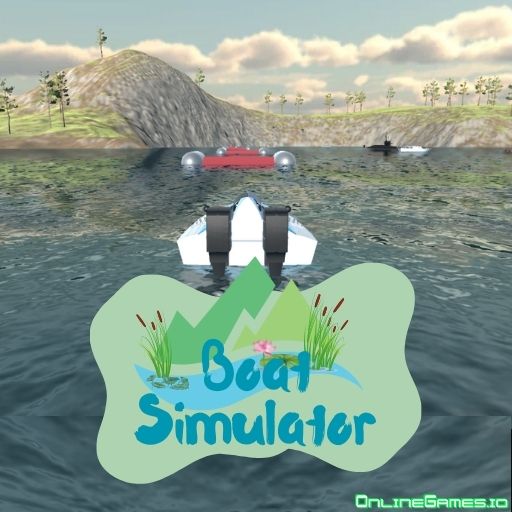
Boat Simulator is a free online 3D simulator game that lets you take the helm of a wide range of sea vehicles with no rules or restrictions holding you back. You choose which vessel to drive — from a nimble yacht to a heavy cargo ship, a jet ski, or even a submarine — and where to take it, whether that's cruising down long rivers or heading out into the open sea. There's no scoring or time pressure here, just a relaxed, open-world sailing experience built for players who want to unwind.
Boat Simulator runs directly in your browser, so there's nothing to download or install — just load the game and start sailing. It's fully playable with a keyboard and mouse on desktop, and its laid-back pacing and free-roam design make it a great pick when you want a cozy, low-stress session rather than a competitive challenge.
Controls
| Action | Control |
|---|---|
| Steer | W A S D or Arrow Keys |
| Change Vessel | V |
| Change Camera View | C |
| Move Camera | Hold Right Mouse Button |
| Zoom In / Out | Mouse Scroll |
Choosing Your Vessel
Boat Simulator hands you the keys to several different sea vehicles, each with its own feel. Press V at any time to swap between them, whether you fancy piloting a stately cargo ship, cruising on a yacht, or gunning a jet ski off the sea tracks for an adrenaline-filled jump. Since every vehicle has different mass and handling, acceleration, deceleration, and turning speed all vary depending on what you're driving, so it's worth spending a few minutes with each one to get a feel for how it responds.
Diving with the Submarine
One of the standout features in Boat Simulator is the submarine, also selected with the V key. Once you're aboard, pull down the "Submarine Depth" slider on the left side of the screen to control how deep you dive. You're free to explore the sea floor at your own pace, but keep an eye out for underwater mounds and obstacles as you descend so you don't run aground.
Tips for Boat Simulator
Take a lap or two in a new vessel before pushing it to full speed, since heavier boats like the cargo ship turn much more slowly than a jet ski and need more room to maneuver. Use the camera controls liberally — holding the right mouse button to look around and scrolling to zoom helps you judge distances to docks, other vehicles, and obstacles far more accurately than the default view. When diving the submarine, descend gradually and watch the depth slider closely rather than diving all the way at once, since that gives you time to react to anything below.
How to Play Boat Simulator
- Pick your viewpoint — Choose the camera perspective you want to drive from in the menu before you start.
- Select a vessel — Press V to cycle through the available boats, ships, jet skis, and the submarine.
- Get moving — Use WASD or the arrow keys to steer and pick up speed.
- Explore freely — Sail rivers, cross open seas, or try the dedicated sea tracks for jumps and stunts.
- Adjust your camera — Hold the right mouse button to look around and scroll to zoom in or out.
- Try the submarine — Switch to the submarine and pull down the depth slider to explore underwater.
More Games Like This
If you enjoy piloting vehicles in Boat Simulator, try Real Flight Simulator, another simulator game where you take to the skies in a huge airplane instead of the water. For more relaxed rides, check out the driving games and simulator games tags on OnlineGames.io.