Train Simulator
About Train Simulator
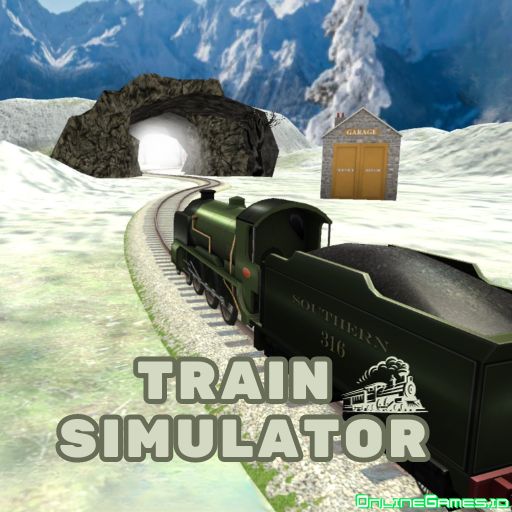
Train Simulator is a free online 3D driving game that puts you in the conductor's seat of a real train, hauling either passengers or cargo across a network of tracks and junctions. You'll pick up passengers and safely deliver them to their destination station, or transport cargo loads to specific drop-off points without damaging them along the way. Since trains are heavy and slow to stop, timing your braking and reading the track ahead is the heart of the challenge.
Playable free in your browser on desktop and mobile with no download required, Train Simulator offers a dedicated practice option for players who want to get comfortable with the controls before jumping into a real run. Its realistic pacing and attention to detail — from animal crossings to branching junctions — make it a satisfying pick for fans of simulator and driving games.
Controls
| Action | Control |
|---|---|
| Steer / Accelerate / Brake | WASD or Arrow Keys |
| Sound the Horn | Hold H |
| Choose Direction at Junction | Arrow Key (matching the turn icon) |
Passenger and Cargo Modes
Train Simulator splits its main gameplay into two modes. In Passengers mode, your job is to pick up riders waiting at a station and deliver them safely to their destination — smooth, punctual driving keeps them happy. In Cargo mode, you're meeting logistics demands instead, hauling loads to specific locations and making sure nothing gets damaged in transit, which means being extra careful with acceleration and braking around curves and stops.
Junctions, Animals, and Precision Stopping
Because a train takes real time to slow down, approaching your destination requires planning ahead — start braking well before the stop sign so you land within the green zone rather than overshooting it. You'll also encounter railway junctions where the track splits in two directions; watch for the blue "turn" icon on the screen and press the matching arrow key to follow the correct path. Occasionally animals like lambs wander onto the tracks — hold the H key to sound your horn and gently encourage them to move rather than risk a collision.
Tips for Winning at Train Simulator
Use the practice option before attempting timed or cargo runs, since getting a feel for the train's momentum is essential to consistent stops. Always start decelerating earlier than feels necessary — a train's stopping distance is longer than it looks — and keep an eye on the screen for junction icons well before you reach a fork in the track so you're not steering at the last second.
How to Play Train Simulator
- Try practice mode — get comfortable with acceleration and braking first.
- Choose a game mode — pick Passengers Train or Cargo Train.
- Drive the route — steer with WASD or the arrow keys.
- Watch for junctions — follow the blue turn icon and press the matching arrow key.
- Sound the horn for animals — hold H to clear lambs or other obstacles from the track.
- Slow down early — begin braking well before the stop sign.
- Stop in the green zone — deliver passengers or cargo safely to finish the route.
More Games Like This
If you enjoy Train Simulator, try American Truck Car Driving, where your mission is to deliver essential cargo by truck. You can also browse more Driving games and Simulator games on OnlineGames.io for further options.