Teacher Simulator
About Teacher Simulator
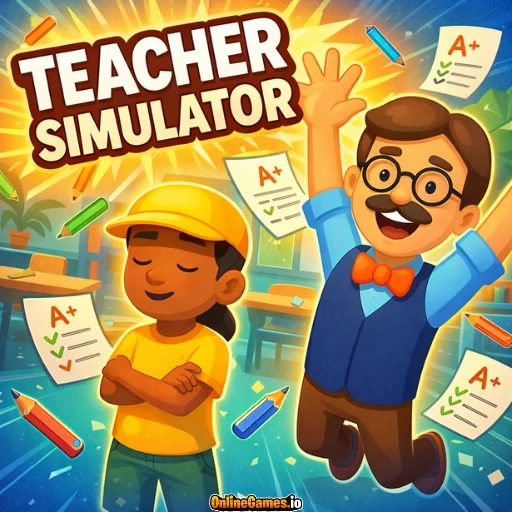
Teacher Simulator is a free online role-playing simulator developed by Kwalee that puts you behind the desk instead of in front of it. You take charge of a classroom, choosing a subject from a menu ranging from general knowledge to business, then spend the school day marking exam papers, running quizzes, and keeping order both inside the classroom and out in the halls during breaks. It's a lighthearted, cartoonish take on school life, built around fast, satisfying tap-and-click tasks rather than any real teaching curriculum.
Teacher Simulator runs entirely in the browser with no download or install required, and it's fully playable on both desktop and mobile devices — just tap the screen instead of clicking. The gameplay loop is quick and approachable, so short sessions between classes, grading papers, and patrolling the corridors are perfect for casual, pick-up-and-play fun whenever you have a few spare minutes.
Controls
| Action | Control |
|---|---|
| Interact / Select | Left Mouse Button |
| Mark Exam Correct | Click the checkmark box |
| Mark Exam Incorrect | Click the X box |
| On Mobile Devices | Tap the screen to interact |
Monitor the Halls
Your job doesn't stop at the classroom door. During breaks, students spill into the halls, and some of them act up — pushing, arguing, or bothering their classmates. As the teacher, you need to keep an eye on the corridors and step in whenever you spot a student misbehaving, whether that means sending the troublemaker to the principal's office or handing out another in-game consequence. A hallway left unwatched quickly turns chaotic, so patrolling regularly is just as important as anything that happens at your desk.
Check the Exam Papers
Grading is the heart of Teacher Simulator. Give your class a test, then work through the stack of exam papers one by one, comparing each student's answers to the correct ones. Mark right answers with a check and wrong answers with an X — but do it carefully, because sloppy grading leads to complaints from students who feel they were marked unfairly. Accurate, efficient grading keeps the class happy and keeps your paycheck growing.
Tips for Winning at Teacher Simulator
Watch students closely during exams so you can catch cheating the moment it happens, since letting it slide undermines the whole test. Double-check every answer before marking it — a rushed grading pass is the fastest way to trigger a wave of complaints. Make hallway patrols a habit during every break rather than an afterthought, since unsupervised students are far more likely to cause trouble. Finally, stay consistent and fair with punishments; students respond better to a teacher who applies the rules evenly than one who plays favorites.
How to Play Teacher Simulator
- Pick your subject — Choose a lesson from the menu, from general knowledge to business studies.
- Enter the classroom — Get your pencils ready and start the school day.
- Grade the exams — Compare each student's answers to the key and mark them right or wrong.
- Patrol the halls — Walk the corridors during breaks and discipline students who misbehave.
- Run quizzes — Test your students' knowledge and keep the class engaged.
- Collect your paycheck — Complete your daily tasks fairly and get paid when the bell rings.
Developer
Teacher Simulator is developed by Kwalee, available to play for free on OnlineGames.io with no download or account required.
More Games Like This
If you enjoyed running the classroom in Teacher Simulator, try Life Simulator, where you guide a stranger's entire life from birth to death, or browse the full library of free simulator games on OnlineGames.io.