Sprunki Warm Like Fire
About Sprunki Warm Like Fire
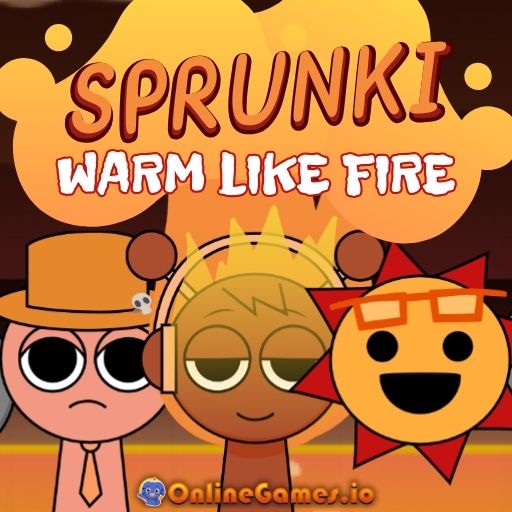
Sprunki Warm Like Fire is a free online music game that blends the beloved Sprunki cast with the fiery style of the Incredibox mod Warm Like Fire. It's a fan-made reskin, with credits going to NyankoBFLoI for the original Sprunki and HarryMations for Warm Like Fire, that lets you channel your inner DJ by dressing up quirky band members like Mr. Tree, Mr. Sun, Lime, Fun Bot, and Garnold in hot new accessories inspired by fiery counterparts such as Firaz, Bimby Baby, Smokey, Smoothring, and Sunnder. Every outfit and accessory you add changes the music playing in real time, from deep bass lines to fiery, energetic melodies.
Sprunki Warm Like Fire runs entirely in your browser with no download or install required. It's a purely creative sandbox with no win or lose condition — the goal is simply to experiment with combinations of characters and accessories until you land on a beat you love, and there's also a hidden scary mode for players brave enough to seek it out.
Controls
| Action | Control |
|---|---|
| Dress up a character | Click and Drag |
| Remove an accessory | Drag it off the character |
| Trigger scary mode | Drag the hat from the bottom right corner (use with caution) |
Mixing Music with Outfits
Every Sprunk character in the game has its own musical traits baked into its outfits and accessories. Dragging an item from the bottom of the screen onto a character can add a beat, a vocal line, a sound effect, or a melody, and layering several characters' contributions together builds a full track. Because there's no single correct combination, experimenting freely with different Sprunks and their fiery-themed gear is the whole point — every arrangement produces a genuinely different tune.
The Hidden Scary Mode
Tucked into the bottom right corner of the screen is a special hat that, if dragged onto a character, flips Sprunki Warm Like Fire into a spooky, horror-themed version of the game with a completely different mood and soundscape. It's an optional easter egg rather than something you need to trigger to enjoy the game, so approach it only if you're curious about seeing the darker side of the experience.
Tips for Getting the Most Out of Sprunki Warm Like Fire
Start by adding one accessory at a time so you can clearly hear how each item changes the mix before layering on more. Try pairing characters with contrasting musical roles — for instance, a bass-heavy Sprunk with a melody-focused one — to build a fuller-sounding track. If you want to stick to the light, fiery theme, avoid the hat in the bottom right corner, since it triggers the horror mode and completely changes the tone of the game.
How to Play Sprunki Warm Like Fire
- Choose your Sprunk characters — Pick from Mr. Tree, Mr. Sun, Lime, Fun Bot, Garnold, and more.
- Browse the accessories — Look at the outfit and item options at the bottom of the screen.
- Drag items onto characters — Apply accessories to add beats, vocals, or melodies.
- Listen to the mix — Hear how each new item changes the music in real time.
- Swap and experiment — Try different combinations to discover new sounds.
- Avoid or seek the hat — Decide whether to trigger the hidden scary mode.
- Enjoy your track — Keep tweaking until you find a combination you love.
Developer
Sprunki Warm Like Fire is a fan-made reskin. Credit goes to NyankoBFLoI for creating Sprunki and to HarryMations for developing Warm Like Fire.
More Games Like This
If you're a fan of blending music with creativity, explore the original Sprunki game, or try Blob Opera for a different musical experience with gelatinous singing characters, both available on OnlineGames.io.