Dreamlike Room
About Dreamlike Room
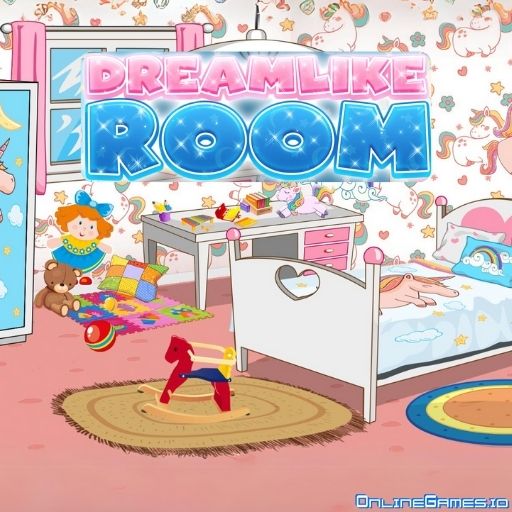
Dreamlike Room is a free online home decoration and organizing game from CodeThisLab, built for anyone who loves spending hours building and decorating homes in life-simulation games or arranging furniture in a dollhouse. Instead of a whole house, you're given one bedroom and a shop full of furniture to fill it with. Pick a theme — a blue boy's room, a dreamy unicorn setup, a soft beige minimalist look, or warm natural wood — and start mixing and matching pieces until the space feels like a room you'd actually want to sleep, study, and relax in.
Dreamlike Room runs directly in your browser on desktop and mobile with no download or installation needed, so you can jump straight into decorating from any device. There's no time pressure, no scoring, and no way to "lose" — it's a relaxing, creative sandbox where the only goal is building a room that matches your personal style, then saving a picture of your finished design.
Controls
| Action | Control |
|---|---|
| Open the Shop | Click the shop icon (top-left) |
| Pick Up / Place Furniture | Click and Drag |
| Move an Item | Click and Drag to reposition |
| Resize / Copy / Delete | Click the related button on the selected item |
| Undo Last Action | Undo button |
| Restart the Room | Refresh button (right side) |
| On Mobile Devices | Tap and drag with your finger |
Building the Essentials First
Every great room starts with the basics. Open the shop and choose your windows, wallpaper, and flooring before anything else — these set the tone for the whole design and are much easier to lock in early than to swap out later. Once the shell of the room feels right, move on to the big furniture pieces: the study desk, the bed, and the wardrobe. Each of these units has plenty of style variations, so take your time picking the ones that match the theme you're building toward.
Mixing, Matching, and Finishing Touches
With the major furniture placed, it's time for the details that really make a room feel lived-in — rugs, wall accessories, and lighting fixtures. These smaller pieces are what turn a furnished room into a warm, personal space, so don't rush them. Everything in the shop is affordable, so there's nothing stopping you from experimenting freely; if a combination doesn't work, just delete it and try again, or hit the refresh button to start completely from scratch.
Tips for Building the Perfect Room
Commit to a theme before you start shopping so your color choices and furniture styles stay consistent throughout. Place large furniture first and work down to small decor, since it's much harder to fit a bed around a rug than the other way around. Use the copy and resize tools to make repeated items — like matching nightstands — line up perfectly. And once you're happy with the result, remember to save a picture of your finished room before you close the game.
How to Play Dreamlike Room
- Choose a theme — Decide on a style, whether it's a blue boy's room, unicorns, beige, or wood.
- Set the essentials — Pick windows, wallpaper, and flooring from the shop first.
- Add the big furniture — Place the bed, study desk, and wardrobe where they fit best.
- Layer in details — Add rugs, accessories, and lighting to bring the room to life.
- Adjust freely — Move, resize, copy, or delete any item, or undo your last move.
- Save your design — Take a picture of your finished room and save it to your computer.
Developer
Dreamlike Room is developed by CodeThisLab, available to play for free on OnlineGames.io with no download or account required.
More Games Like This
If you enjoy decoration and organizing games, head over to Unpacking for a cozy decoration puzzle game, or browse more free organizing games on OnlineGames.io.