Counter Craft
About Counter Craft
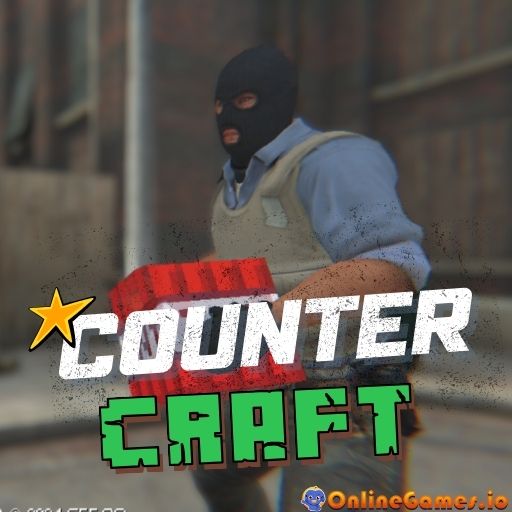
Counter Craft is a free online third-person shooter that mashes up the tactical feel of Counter-Strike with the blocky look of Minecraft. Developed by G55, it drops you into abandoned, Counter-Strike-style city streets that are overrun by voxelated Minecraft zombies. The moment they spot you, they charge, and your only job is to wipe them out with an ever-improving arsenal before they close the distance and turn you into zombie chow.
Counter Craft runs entirely in the browser with no download or install needed, making it easy to jump into a quick shooting session from any desktop browser. The pacing is aggressive and skill-based — aiming, reloading, and weapon switching all matter — so every level rewards players who keep their crosshair up and their reflexes sharp against the growing tide of blockheaded enemies.
Controls
| Action | Control |
|---|---|
| Move | WASD or Arrow Keys |
| Shoot | Left-Click |
| Aim | Right-Click |
| Jump | Space |
| Run | Left-Shift |
| Slow Motion | T |
| Reload | R |
| Grenade | G |
| Melee | V |
| Empty Hand | H |
| Crouch | CTRL |
| Switch Weapons | Mouse Scroll |
| Pause | Tab |
Zombie-Infested Streets
Each level of Counter Craft starts you on an abandoned street patrolled by cube-shaped Minecraft zombies, armed with nothing but a starting pistol. As you clear areas, the zombie count rises and tougher enemies appear, forcing you to stay mobile and manage a health bar that drops fast if you let the creatures get too close.
Weapons and Combat
Success depends on treating this like a real tactical shooter: aim carefully with right-click, land your shots, and reload before you're caught empty-handed. As you progress, more advanced weapons than the starting pistol become available, and you can cycle through your loadout with a scroll of the mouse wheel. A well-timed grenade or melee strike can also save you when zombies swarm from multiple directions.
Tips for Winning at Counter Craft
Keep moving instead of standing still — zombies close distance quickly, and a stationary target gets surrounded fast. Reload during lulls in the action rather than waiting until your clip is empty, and use slow motion (T) sparingly to line up precise shots in chaotic moments. Watch your health bar at the bottom of the screen and retreat to open ground when it gets low, since cornering yourself against a wall gives zombies an easy angle.
How to Play Counter Craft
- Spawn in — Start on an abandoned Counter-Strike-style street armed with a basic pistol.
- Move and aim — Use WASD or arrow keys to move, and the mouse to aim and shoot.
- Clear the zombies — Shoot down Minecraft-style zombies before they reach melee range.
- Manage your health — Watch the health bar and avoid getting swarmed or cornered.
- Reload and switch weapons — Reload with R and scroll to swap between unlocked guns.
- Use grenades and melee — Throw grenades (G) or strike (V) when zombies get too close for comfort.
- Progress through levels — Clear each area to face tougher waves and unlock better gear.
Developer
Counter Craft was developed by G55, available to play free on OnlineGames.io with no download required.
More Games Like This
If you enjoy the Counter-Strike-meets-Minecraft vibe of Counter Craft, try Pixel Survival for more blocky survival action, or browse the full library of free shooting games on OnlineGames.io.