Artifact Explorer: Castle Rock
About Artifact Explorer: Castle Rock
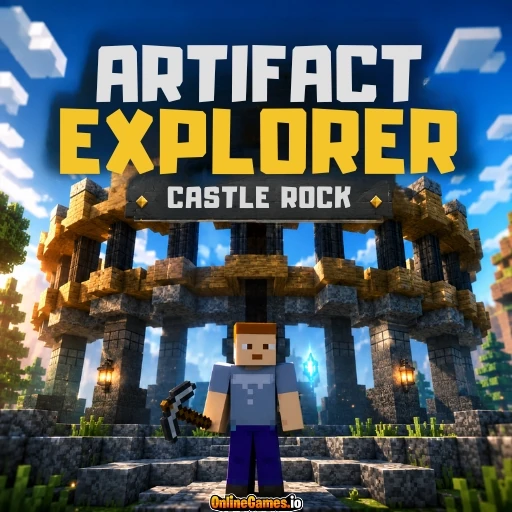
Artifact Explorer: Castle Rock is a free online voxel sandbox game where you explore a sprawling blocky world built around a ruined stone castle, wooden bridges, and a wide open lake. Set in a Minecraft-style low-poly world, the game lets you wander freely across grassy hills, forests, mountains, and coastal paths, mining resources and reshaping the terrain as you go. There is no fixed objective pushing you forward — instead, Castle Rock rewards curiosity, handing you a pickaxe and a builder tool and letting you decide whether to dig, construct, or simply explore.
The world is playable solo or alongside other players in a shared room, with a live player list and score tracker in the top left corner keeping tabs on everyone currently exploring. Whether you want to tunnel into the mountainside for rare blocks or wander the ruined castle walkways overlooking the water, Artifact Explorer: Castle Rock gives you an open blocky world to make your own.
Controls
| Action | Control |
|---|---|
| Move | W / A / S / D |
| Look Around | Mouse |
| Select Tool (Pickaxe / Builder / Picker) | Number Keys 1-3 |
| Use Selected Tool (Mine / Build / Pick Block) | Left Mouse Button |
Exploring the World
Castle Rock's map is built around a central ruined fortress, connected to the surrounding land by stone bridges and cobbled walkways. Beyond the castle walls, the terrain opens into rolling hills, dense pine forests, rocky mountainsides, and a large lake that separates different regions of the map. Every area is fully explorable on foot, with no invisible walls holding you back — if you can see it in the distance, you can walk, climb, or mine your way there.
Mining and Building Tools
Your starting loadout centers on three core tools, switched between using the number keys. The Pickaxe lets you break down blocks scattered throughout the world with a left-click, from common stone and dirt to more distinctive materials like sea lantern, which is displayed by name in the corner of the screen as you look at it. Selecting the Builder tool and left-clicking places blocks back down, letting you construct your own structures, walls, or shortcuts across the terrain. The Picker tool rounds out the set — select it, then left-click a block to grab that type for use elsewhere, making it easy to match materials when you are building something more deliberate.
Multiplayer Rooms and Scoring
Artifact Explorer: Castle Rock runs in shared rooms, shown in the top right corner alongside a Leave button. A player list in the top left tracks everyone currently in your room along with a running score, so you can see how your progress compares to others exploring and building at the same time. Because the world is persistent within a session, blocks you place or mine stay changed for as long as the room is active, letting multiple players shape the same landscape together.
Tips for Exploring Castle Rock
- Keep an eye on your health bar while mining into mountainsides, since falls and tight tunnels can catch you off guard.
- Use the Picker tool on interesting blocks like sea lantern so you can decorate your own builds with the same materials later.
- Follow the stone bridges and walkways first to get a feel for the map's layout before branching off into unmarked terrain.
- Build simple bridges or staircases with the Builder tool to reach elevated areas of the castle that aren't accessible on foot.
How to Play Artifact Explorer: Castle Rock
- Join a room — Enter the world solo or alongside other players currently exploring the same map.
- Explore freely — Use WASD and your mouse to walk, look around, and travel across the open world.
- Select the Pickaxe — Switch to it with the number keys and left-click to mine blocks as you explore.
- Build structures — Switch to the Builder tool and left-click to place blocks and construct your own additions to the world.
- Match materials — Switch to the Picker tool and left-click a block to grab that type and reuse it in your builds.
- Discover the castle — Make your way to the ruined fortress and its surrounding bridges and towers to see the map's centerpiece.
Developer
Artifact Explorer: Castle Rock is a free-to-play, browser-based voxel sandbox game available on OnlineGames.io with no download or account required. The game runs entirely in-browser and is playable on desktop.
More Games Like This
If you enjoy the blocky voxel world of Artifact Explorer: Castle Rock, try Paintball Nether Arena for another multiplayer game set in a Minecraft-style world, or browse the full collection of free sandbox games on OnlineGames.io.