+1 Speed Keyboard Lucky Escape
About +1 Speed Keyboard Lucky Escape
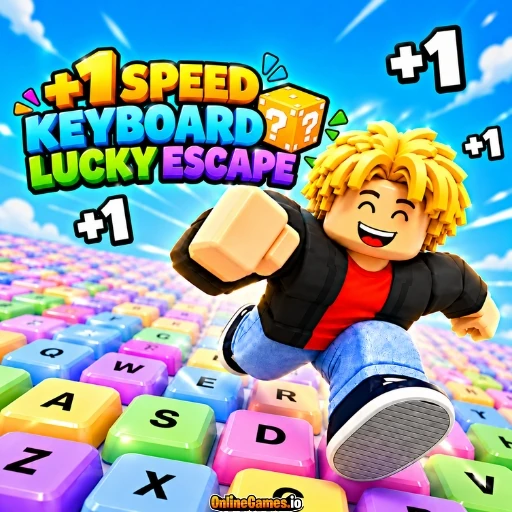
+1 Speed Keyboard Lucky Escape is a free online Roblox-style brainrot collecting and escape game where luck, upgrades, speed, and survival all come together on one giant keyboard. Launch Lucky Blocks as far as you can with your bazooka, discover increasingly valuable Brainrots inside them, and then run for your life as Tung Tung Sahur chases you back toward the Safe Zone. With 93 different Brainrots to collect, every launch could reveal something rare.
Back at your base, the Brainrots you bring home are placed on pedestals where they earn money every second, and you can reinvest that cash into better launch range, higher value for every +1 Speed pickup, and rebirths. You can play solo or share the keyboard with a friend in a 2 Player mode, so the chase works well for both single runs and shared sessions.
Controls
| Action | Control |
|---|---|
| Move (Player 1) | W / A / S / D |
| Jump (Player 1) | Spacebar |
| Speed Up (Player 1) | Shift |
| Launch Lucky Brainrot (Player 1) | Tab or E |
| Interact (Player 1) | E |
| Upgrade Brainrot (Player 1) | Q |
| Open Rebirth Menu (Player 1) | T |
| Move (Player 2) | Arrow Keys |
| Jump (Player 2) | L |
| Speed Up (Player 2) | K |
| Launch Lucky Brainrot (Player 2) | U |
| Interact (Player 2) | O |
| Upgrade Brainrot (Player 2) | U |
| Open Rebirth Menu (Player 2) | Y |
| Mobile | On-Screen Controls (1 Player Mode) |
Launching Lucky Blocks
From the starting zone, you aim your bazooka down a long runway made of keyboard keys and fire a Lucky Block as far as it will go. A vertical power bar fills as you tap or press E, and the farther your block lands, the rarer the Brainrot hiding inside tends to be. The walls along the runway are labeled Common, Rare, Epic, Legendary, Mythic, Brainrot God, and Secret, giving you a clear picture of how far you need to launch for each rarity.
Running Back to the Safe Zone
After a launch, you have to run down the keyboard to retrieve your Brainrot, and Tung Tung Sahur is waiting nearby to chase you. A Run prompt appears on screen, and your speed level, shown at the bottom, grows as you collect +1 pickups scattered along the path. Pressing Shift speeds you up, and getting back to the Safe Zone with your Brainrot intact is what turns a lucky launch into real income.
Your Base and Upgrades
Your base is a red platform lined with pedestals, each holding a Brainrot that earns money every second, shown beside its rarity and name. A money multiplier displays at the top of the base, and a sign marks the cost of unlocking the next floor. Two upgrade stands let you spend cash and tickets on Range, which sends your launches farther, and on +1 Value, which increases how much each pickup is worth. Selling Brainrots at the market stall adds even more cash for further upgrades.
Tips for a Successful Escape
- Fill the power bar as high as you can before launching, since distance is what decides how rare your Brainrot will be.
- Collect +1 pickups on the way back to raise your speed level and stay ahead of Tung Tung Sahur.
- Spend your first earnings on Range upgrades, because farther launches mean better Brainrots.
- Keep an eye on the cancel button when a chase gets too tight, so you can reset instead of getting caught.
How to Play +1 Speed Keyboard Lucky Escape
- Choose your mode — Pick 1P to play solo or 2P to share the keyboard with a friend.
- Launch a Lucky Block — Fire your bazooka down the keyboard runway and aim for maximum distance.
- Reveal your Brainrot — Walk to where the block lands to discover what is inside.
- Run to safety — Collect +1 pickups and use Shift to outrun Tung Tung Sahur.
- Place it at your base — Put your Brainrot on a pedestal so it earns money every second.
- Upgrade and rebirth — Spend cash on Range and +1 Value, then rebirth for bigger rewards.
Developer
+1 Speed Keyboard Lucky Escape is developed and published by gameVgames, available to play for free on OnlineGames.io with no download or account required. The game runs in-browser and is compatible with iOS and Android mobile devices in 1 Player mode.
More Games Like This
If you enjoy the brainrot collecting and chasing of +1 Speed Keyboard Lucky Escape, try Tsunami Brainrots Online for another Brainrot-collecting challenge, or browse the full collection of free Roblox-style games on OnlineGames.io.