Space Waves
About Space Waves
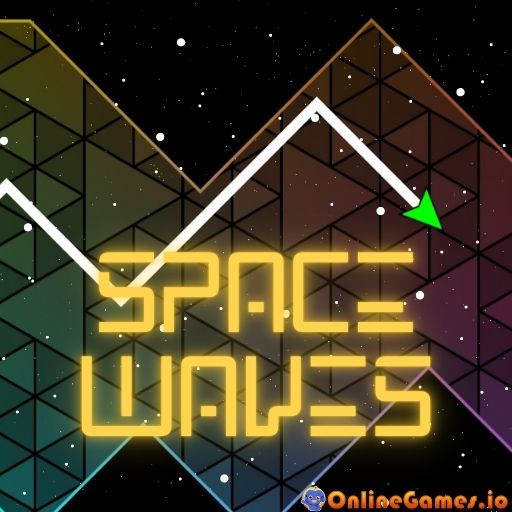
Space Waves is a free online rhythm-runner in the spirit of Geometry Dash, except instead of jumping over spikes you pilot a zigzagging wave through neon-lit space corridors. Hold down the button and your ship climbs; let go and it dives, leaving a glowing trail behind it like ink on a synth-wave canvas. Spread across two vibrant worlds and 20 levels of escalating difficulty, the game tests how precisely you can thread narrow gaps between spikes, walls, and other obstacles while a pounding electronic soundtrack keeps the pace locked to the beat.
Space Waves runs entirely in the browser with no download or installation, and it works just as well on a phone or tablet as it does on desktop. On computer you rise and fall with the spacebar or left mouse button; on mobile, a single finger held to the screen does the same job. That one-input design keeps the controls simple, but the tight corridors and fast scroll speed make surviving all 20 levels a genuine test of rhythm and reflexes.
Controls
| Action | Control |
|---|---|
| Ascend | Hold SPACEBAR or Left Mouse Button |
| Descend | Release SPACEBAR or Left Mouse Button |
| Micro-adjust in tight corridors | Tap or click rapidly |
| Ascend (Mobile) | Hold finger on screen |
| Descend (Mobile) | Release finger from screen |
Two Worlds, Twenty Levels
Space Waves splits its content into two distinct worlds, each built from ten levels of rising difficulty. You start with the first two levels of each world unlocked, and clearing a level opens the next one in that world's sequence. Every level reshuffles the spike patterns, wall gaps, and corridor widths, so muscle memory from an earlier stage only gets you partway — later levels demand sharper timing and a calmer hand under pressure.
Wave Movement and Time Reversal
Unlike a standard runner where you jump, Space Waves has you steering a continuous zigzag line. Holding the button sends the wave climbing at a steady angle; releasing it sends the wave diving at the same angle, and alternating quickly lets you flatten your trajectory to slip through narrow, flat corridors. If you do clip an obstacle, a built-in time reversal feature rewinds you slightly instead of forcing a full restart, giving you a second shot at tricky sections without losing all your progress. You can also personalize your wave's appearance and color as you unlock cosmetic options.
Tips for Winning at Space Waves
Watch the corridor a few beats ahead rather than staring at your ship — Space Waves rewards anticipation over reaction. In tight straightaways, tap quickly and lightly instead of holding the button, since small zigzags keep you centered better than one big climb or dive. Learn each level's music cues, since the soundtrack's rhythm lines up closely with upcoming obstacle patterns. And when you do hit something, use the time reversal window immediately rather than panicking, since a calm correction is usually enough to get back on track.
How to Play Space Waves
- Pick a world — choose between the two available worlds from the level select screen.
- Choose an unlocked level — start with one of the first two available stages in that world.
- Hold to rise — press and hold the spacebar, left mouse button, or your finger to send the wave upward.
- Release to fall — let go to bring the wave back down along the same angle.
- Thread the gaps — tap rapidly for small, controlled zigzags when the corridor narrows.
- Recover from mistakes — use the time reversal feature to undo a bad hit instead of restarting from scratch.
- Unlock the next level — reach the end of a stage to open up the following level in that world.
More Games Like This
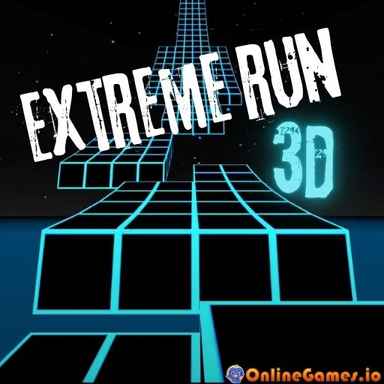
If Space Waves has you hooked on rhythm-based dodging, try Geometry Jump for a faster-paced dash game with reversed controls, or head back to the original Geometry Dash. You can also browse more free space games on OnlineGames.io.