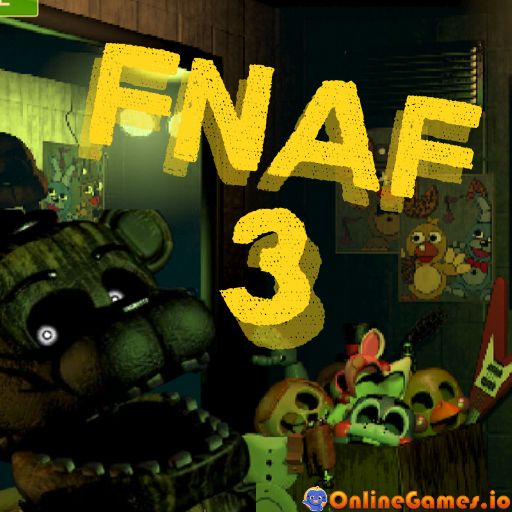
Five Nights At Freddy's 3
About FNAF 3
FNAF 3 (Five Nights at Freddy's 3) is a free online horror game that takes you back to Fazbear's Fright, a horror attraction built around the mysteries of Freddy Fazbear's Pizza. As in the prequels, you play as the night guard tasked with monitoring security cameras, except this time the only real threat stalking the halls is Springtrap — a broken-down animatronic suit with a far darker history than anything you've faced before.
FNAF 3 runs entirely in-browser with no download required, and its tense camera-and-maintenance-panel gameplay loop feels like revisiting a childhood nightmare upgraded to HD horror. You'll survive five nights balancing paranoia and tech management — reboot this, check that, all while a killer animatronic plays a deadly game of hide and seek with you.
Controls
| Action | Control |
|---|---|
| Look Around / Navigate Cameras / Interact | Mouse |
| Seal Vents | Spacebar |
Surviving Springtrap
Unlike earlier FNAF games with multiple active animatronics, FNAF 3 centers almost entirely on one relentless threat: Springtrap. Use the camera system to track his movement through Fazbear's Fright, and rely on audio devices placed around the building to lure him away from your office when he gets too close. Losing track of his position for too long is often what gets careless players caught.
Phantom Animatronics and System Errors
Beyond Springtrap, phantom animatronics haunt the building and can't kill you directly — but they will disable your cameras, audio, and other systems temporarily if you look at them for too long. When a system fails, jump into the maintenance panel and reboot it quickly, since a blind spot in your camera coverage is exactly when Springtrap likes to make his move.
Tips for Winning at FNAF 3
Check the maintenance panel regularly even when nothing seems wrong, since a system can fail silently while you're focused on cameras elsewhere. Use audio lures proactively rather than waiting until Springtrap is already close to your office. Try to build a consistent camera-checking routine each night instead of panicking and flipping between feeds at random.
How to Play FNAF 3
- Start your shift — Begin the night at Fazbear's Fright and open your camera feeds.
- Monitor the cameras — Check regularly for signs that Springtrap is moving toward your office.
- Lure Springtrap away — Use audio devices placed around the building to redirect him elsewhere.
- Watch for system errors — Open the maintenance panel and reboot any systems disabled by phantom animatronics.
- Seal vents when needed — Press Spacebar to seal off vents if a threat gets too close.
- Survive until 6 AM — Make it through the night without being caught to move on to the next one.
Developer
FNAF 3 was created by Scott Cawthon, available to play for free on OnlineGames.io with no download required.
More Games Like This
If you're looking for a game where every click could be your last, FNAF 3 delivers that wrapped in a haunted animatronic suit. Explore Horror Granny for more survival horror fun, or browse the full library of free horror games on OnlineGames.io.