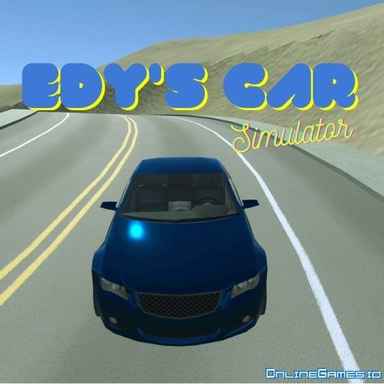
Edys Car Simulator
About Edys Car Simulator
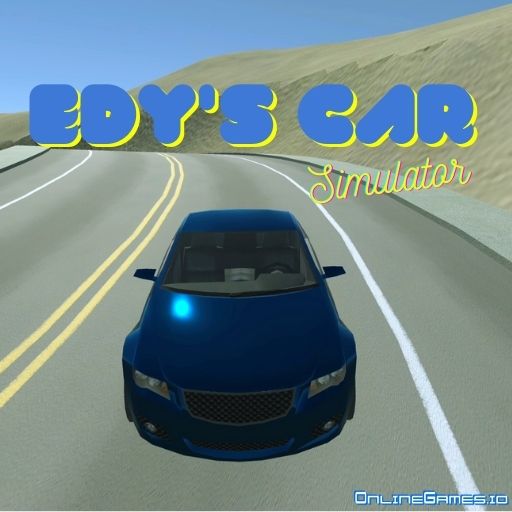
Edys Car Simulator is a free online driving simulator that lets you freely roam an open city with a choice of five vehicles, including two sports cars, two pickup trucks, and a bus. There's no set mission forcing you down a single path — you can cruise the streets for sightseeing, push a pickup truck through a dedicated off-road test track full of sandy hills and sharp drops, or use the game's load-testing system to haul a heavy stone around town.
Edys Car Simulator runs directly in the browser with detailed vehicle physics, telemetry readouts, and even a slow-motion mode, so it's built for players who enjoy tinkering with realistic driving mechanics as much as casual cruising. It plays free with no download required, and switching between vehicles and camera angles on the fly makes it easy to explore the city however you like.
Controls
| Action | Control |
|---|---|
| Steer the Vehicle | WASD or Arrow Keys |
| Handbrake | Spacebar |
| Reset Vehicle (If Tilted) | Enter |
| Change Camera Angle | C |
| Select Vehicle | Tab or Page Up / Page Down |
| Choose Specific Vehicle | 1, 2, 3, 4, or 5 |
| Move the Gray Stone (Load Test) | E |
| Repair the Vehicle | R |
| Toggle Slow-Motion | T |
| Pause Vehicles | P |
| Show / Hide Telemetry | Y |
| Change Telemetry Mode | Shift + Y |
| Reset the Scene | Shift + ESC or Shift + R |
Enter Test Track Area
The "Enter Test Track" zone offers a more adventurous driving experience, with steep ups and downs that add real adrenaline to your run. The ground there is mostly sand, which changes how your vehicle handles compared to the paved city streets, making it a good place to test a car or pickup truck's off-road capability.
Load Testing with the Gray Stone
Press E near the gray stone to pick it up and load it onto one of the two pickup trucks' beds. This load-testing mechanic gives you a practical reason to switch between vehicle types and experiment with how each one handles carrying extra weight around the city and test track.
Tips for Getting the Most Out of Edys Car Simulator
Switch camera angles with C when navigating tight turns or the test track's slopes, since a wider view helps you judge distances more accurately. Use the Y key to check your telemetry readout if you want a more realistic sense of speed and vehicle behavior. Press T to enable slow-motion when attempting a tricky jump or stunt so you can see exactly what went wrong if you crash. Keep R handy to repair your vehicle quickly after rough landings instead of resetting the whole scene.
How to Play Edys Car Simulator
- Choose a vehicle — press 1 through 5, or use Tab, to pick a car, pickup, or bus.
- Explore the city — use WASD or the arrow keys to drive freely through the streets.
- Try the test track — head to the "Enter Test Track" area for hills and sand terrain.
- Load the gray stone — press E near the stone to load it onto a pickup truck.
- Adjust your view — press C to change the camera angle whenever needed.
- Recover from crashes — press Enter to reset a tilted vehicle or R to repair it.
- Fine-tune the experience — toggle slow-motion or telemetry to study your driving.
More Games Like This
If you enjoy playing Edys Car Simulator, browse the Driving tag for more free online driving and simulator games on OnlineGames.io.