Climb Up
About Climb Up
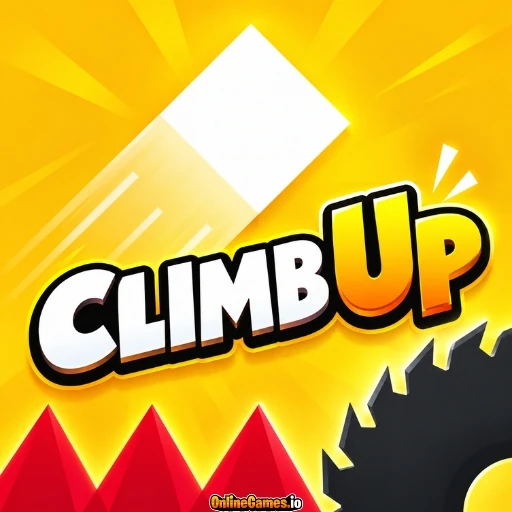
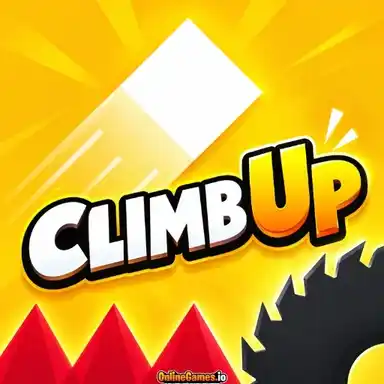
Climb Up is a free online one-finger precision platformer about getting a small white cube to the top of a mountain that keeps knocking it back down. Drag to aim, release to jump, and pull further back to fly further, with a dotted line showing exactly where you are headed. Every level is generated fresh, so nothing can be memorized, and hazards like saw blades, spikes, pistons, and moving platforms sit somewhere new on each run.
Checkpoints hold your progress, so a fall sends you back to the last flag you touched rather than the very start. Yellow diamonds scattered across the slopes add up in a counter in the corner, rewarding players who take a careful line over the gaps instead of rushing straight to the flag.
Controls
| Action | Control |
|---|---|
| Aim and Jump (Desktop) | Click and Hold Anywhere, Drag to Aim, Release to Jump |
| Aim and Jump (Touch) | Press and Hold, Drag to Aim, Lift Your Finger to Jump |
| Jump Further | Pull Further Back Before Releasing |
Aiming Your Jump
While you hold and drag, a dotted line and an arrow appear above your cube, showing the direction and distance of the jump you are about to make. A short pull sends the cube a short hop, while a long pull launches it across wide gaps, so judging how far to drag is the main skill in every level. The prompt Drag and Release appears at the bottom of early levels to teach the idea, and after a few jumps it becomes second nature.
Levels, Flags, and Checkpoints
Each level is a climb up a staircase of dark ledges toward a flag at the top, and a thin progress bar along the bottom of the screen shows how far along the level you are. Colored flags along the way, such as green and blue ones, mark checkpoints that save your place, while the final flag completes the level and moves you on. Because every level is generated fresh, gaps, ledges, and hazards land in different spots on each attempt, which keeps repeat plays unpredictable.
Diamonds and Hazards
Yellow diamonds float above ledges and gaps, and your total appears in the top right corner of the screen. Collecting them is optional, but they often sit above open gaps, where a miss means a fall back to your last checkpoint. Saw blades, spikes, pistons, and moving platforms add extra danger in later levels, so you often need to time a jump around a hazard as well as aim it.
Tips for Reaching the Top
- Check the dotted line before releasing, because a small change in your drag can shift your landing by a whole ledge.
- Take short, careful hops on narrow ledges instead of one big jump that could overshoot.
- Touch every checkpoint flag you pass so a fall costs you less progress.
- Watch how hazards move for a moment before you jump, since each level places them differently.
How to Play Climb Up
- Start the level — Look at the ledges and the flag waiting at the top.
- Press and drag — Hold anywhere on the screen and drag to set your direction.
- Check the dotted line — Use the line and arrow to see where your cube will land.
- Release to jump — Let go to launch your cube toward the next ledge.
- Touch the checkpoints — Reach each flag to save your progress.
- Reach the top — Climb to the final flag to finish the level and begin the next.
Developer
Climb Up is developed and published by Fly Studios Games, available to play for free on OnlineGames.io with no download or account required. The game runs in-browser and is compatible with iOS and Android mobile devices.
More Games Like This
If you enjoy the precise jumping of Climb Up, try Hotshift for another one-button challenge that rewards careful timing, or browse the full collection of free skill games on OnlineGames.io.