Cars Simulator
About Cars Simulator
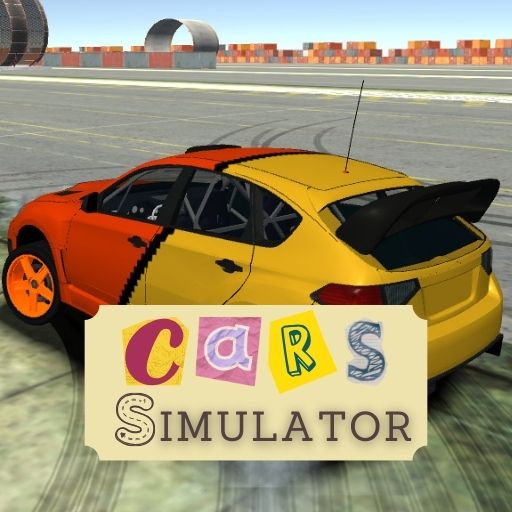
Cars Simulator is a free online 3D driving game that puts you behind the wheel with no speed limits and complete freedom of movement. Choose from three distinct vehicles, pick one of three open landscapes, and drive however you like — whether that means tearing through a forest at full throttle, drifting around an industrial complex, or switching on the police lights and cruising in style. Built by FreezeNova, Cars Simulator is designed for players who want an open, pressure-free driving experience without objectives or timers getting in the way.
The focus here is on feel. Each of the three cars handles differently, and switching between them mid-session changes the entire character of your drive. The rally car is built for speed and sharp cornering; the police car is heavier and more imposing on the road; the old car brings a loose, unpredictable quality that rewards gentle inputs. Three landscapes across two industrial zones and one forest environment give you enough variety to keep exploring across multiple sessions.
Controls
| Action | Control |
|---|---|
| Drive | WASD or Arrow Keys |
| Handbrake | Space |
| Boost | Shift |
| Change camera view | C |
| Switch car | 1, 2, 3 |
| Police lights | E |
| Reset scene | R |
| Exit main menu | TAB |
Three Cars to Drive
Cars Simulator gives you three vehicles to switch between at any time using the 1, 2, and 3 keys. The Rally Car is the fastest and most responsive, built for high-speed runs and sharp cornering across all three maps. The Police Car adds weight and authority to your drive, complete with working lights you can toggle with E. The Old Car is the wild card — its looser handling makes it the most challenging to control at speed, but also the most rewarding when you nail a clean drift through a tight bend.
Three Landscapes to Explore
The game offers one forest landscape and two industrial landscapes. Each environment has its own road layout, terrain variety, and atmosphere. The forest map features winding paths through dense trees that reward careful speed management. The industrial landscapes open up wider roads and larger structures to navigate around, giving faster cars more room to breathe. Switching maps between drives keeps the experience fresh without needing to change cars.
Tips for Cars Simulator
Use the handbrake (Space) to initiate drifts on tight corners rather than braking conventionally — it locks the rear wheels and lets you rotate the car through the bend much more cleanly. Hold Shift for the boost on long straights but release it before sharp corners, as the extra speed makes steering inputs much less forgiving. Press C to cycle through camera angles and find the view that suits your driving style best; the hood camera gives the most immersive feel while the third-person view makes it easier to judge the car''s position on narrow paths.
How to Play Cars Simulator
- Pick a landscape — Select one of the three available environments from the main menu to start your session.
- Choose your car — Press 1, 2, or 3 at any time to switch between the Rally Car, Police Car, and Old Car.
- Hit the road — Use WASD or Arrow Keys to drive, steer, and explore the open map at your own pace.
- Use the handbrake — Tap Space mid-corner to drift and keep your speed through bends.
- Boost on straights — Hold Shift to activate the speed boost on open stretches of road.
- Reset if needed — Press R to reset your car if you get stuck or end up in an awkward position.
Developer
Cars Simulator was created by FreezeNova and is available to play for free on OnlineGames.io with no download required.
More Games Like This
If you enjoy the open-world freedom of Cars Simulator, explore more free driving games on OnlineGames.io and find your next ride.