ToonZ io
About ToonZ io
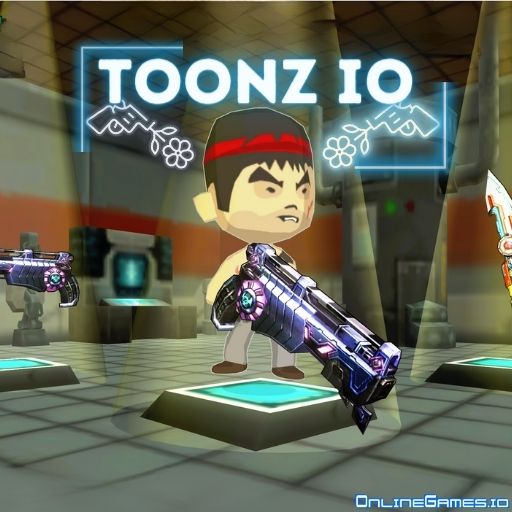
ToonZ io is a free online multiplayer shooting game with a cartoonish art style and a surprisingly deep combat system built around both guns and melee weapons. You pick a game mode and a map, then drop into matches against other online players — either Team Deathmatch or Free Killing — where every weapon you use has its own stats for Damage, Fire Rate or Attack Speed, Accuracy, Critical chance, and special Ability. Earn currency and frags in matches, then spend them upgrading your existing arsenal or buying new guns and melee weapons entirely.
ToonZ io runs entirely in the browser with no download or install required, and its bright, toon-style visuals keep the chaos of multiplayer combat easy to read even in a crowded fight. With four distinct maps and multiple modes to choose from, there's a good amount of variety packed into a game you can jump into and start shooting within seconds.
Controls
| Action | Control |
|---|---|
| Aim | Mouse Cursor |
| Shoot | Left Mouse Click |
| Move | WASD or Arrow Keys |
| Alternate Move | Right Mouse Click |
| Switch Weapon | Q |
Guns, Melee, and Weapon Stats
Every player carries two weapon types side by side — a gun on the left of the loadout menu and a melee weapon on the right, with your character shown in the middle. Click either golden weapon icon to view its full stats before a match, and use the golden shift icon or the Q key to swap between them mid-fight. As you earn currency and frags, you can upgrade your current weapons to boost their Damage, Fire Rate, Accuracy, Critical chance, and special Ability, or spend your earnings on entirely new guns and melee weapons in the shop.
Game Modes and Maps
ToonZ io offers two core match types: Team Deathmatch, where you fight alongside a team against another, and Free Killing, a free-for-all where everyone is an enemy. Matches take place across four maps — The Town, The Farm, The Desert, and The Airport — each with its own layout and sightlines that reward different weapon choices. You can join an existing match using its ID and password, start your own private match, or hit Find Match to drop into a random game.
Tips for Winning at ToonZ io
Match your loadout to the map — open maps like The Desert reward accurate, longer-range guns, while tighter layouts like The Farm favor a strong melee weapon for close encounters. Spend your early frags upgrading Accuracy and Fire Rate before chasing flashy new weapons, since a reliable gun you already know beats an unfamiliar one. In Team Deathmatch, stick near at least one teammate so you can back each other up during a weapon switch or reload. In Free Killing, keep moving between engagements — a stationary target in an open map is an easy kill for anyone with a clear sightline.
How to Play ToonZ io
- Pick a mode and map — Choose Team Deathmatch or Free Killing, then select one of the four maps.
- Join or start a match — Use Find Match for a random game, or enter a match ID and password to join a specific one.
- Check your loadout — Review your gun and melee weapon stats before the match begins.
- Move and aim — Use WASD or the arrow keys to move, and your mouse to aim and look around.
- Engage enemies — Shoot with your gun or switch to melee with Q when enemies close the distance.
- Earn currency and frags — Rack up kills to fund weapon upgrades and new purchases.
- Upgrade your arsenal — Spend your earnings between matches to build a stronger loadout.
More Games Like This
If you enjoy playing ToonZ io, browse the full library of io games and action games on OnlineGames.io, or check out the weapon-focused shooters for more multiplayer gunfights.