1v1.LOL
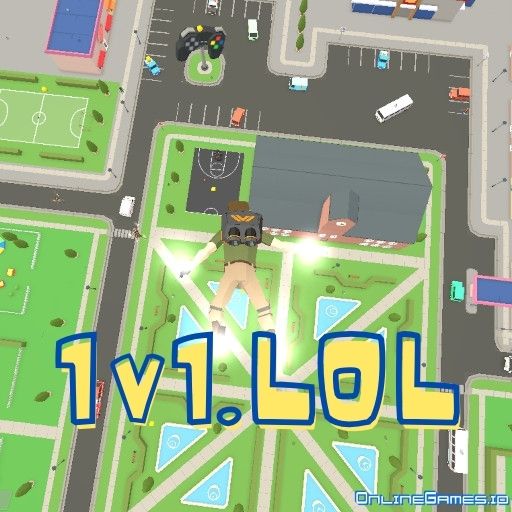
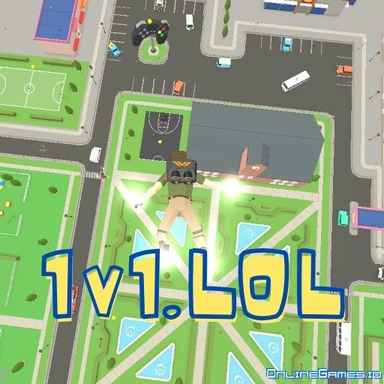
1v1 LOL is a fascinating mash-up of a battle game and a building simulator. The game mechanics are similar to Fortnite. You will build and demolish structures to defend yourself in the best way possible. The aim is to be the last person who stands in the game. Build a castle around you, get the most vital weapons, and give your opponents a lesson they can't forget! Remember to show your custom victory dance! 1v1.LOL game has many features you can explore by playing. Have fun!
Game Modes
Trophies🏆
- Battle Royale: Team up with a friend and have a 2x2 battle
- 1v1 Battle: Fight a duel with an opponent
Practice🏋
- Free Build: Practice building a shelter that can save you from enemies. Use your axe to demolish buildings.
- BR Practice: Exercise a battle royale in easy mode.
- Zombies: An action-packed survival mode where you need to run from zombies and shoot them all.
- Aim Practice: Have training on aiming and using weapons.
Custom
The custom mode can only be selected when the party mode is on. Available custom modes are:
- Battle Royale
- 1v1 Battle
- City Zone
- Farm
- Mini Box
- Box
- Big Box
- Deathmatch
- 1v1 Arena
What is 1v1.LOL?
1v1.LOL is mainly a third-person shooter game where you protect yourself by shooting and building a front around you.
How to play 1v1.LOL?
You can play 1v1.LOL, with a cursor and keyboard. You can have a brief training on how to play 1v1.LOL, by playing in practice mode. Or, simply direct your character by following the keys on your keyboard.
- WASD: Move
- Spacebar: Jump
- Shift: Crouch
- Z, X, C, V, or Y: Switch building blocks
- F: Toggle pickaxe tool
- 1,2,3,4,5: Switch weapons
- Right click: Aim with your weapon
- R: Rotate stairs/reload the gun
- G: Make doors on platforms
- E: Interact, to open the doors and gather items
How to play 1v1.LOL with controller on Chromebook?
You can play 1v1.LOL with a PlayStation or Xbox controller on laptops, ipads, Chromebooks, and even mobile devices. In order to do that, first, you should connect your controller to your device via Bluetooth or a connection cable. After successfully connecting your controller, open settings in the game and choose controller at the bottom. See and change the controls in the settings menu. You can play with default controller settings in 1v1.LOL, which are as follows:
- Rotate Left Stick: Move
- X (Cross): Jump
- L1, L2, R1, R2: Switch building blocks
- R3: Crouch/Rotate the building
- R2: Shoot
- R1 and L1: Switch between weapons
- L2: Aim with your gun
- Triangle🔼: Toggle pickaxe tool
- Circle⭕: Switch mode and edit building
- Square🔲: Reload/interact
- Up arrow: Throw item
Which weapons are available in 1v1.LOL?
Axes, shotguns, and sniper rifles are available weapons in 1v1.LOL.
How to aim in 1v1.LOL?
Right-click to zoom in with your rifle, then left-click to shoot.
When did 1v1.LOL come out?
1v1.LOL was initially released in May 2020.
Developer
1v1.LOL is created by JustPlay.LOL.
Similar Games
If you like action-packed multiplayer games, look at our Shooting Games on OnlineGames.io.